
THESIS
from zip to your own desk.
Everything you need to install, configure, brand and host your own Hyperliquid trading desk and its operator admin. Read it top to bottom the first time. After that, press / and search.
01What you bought
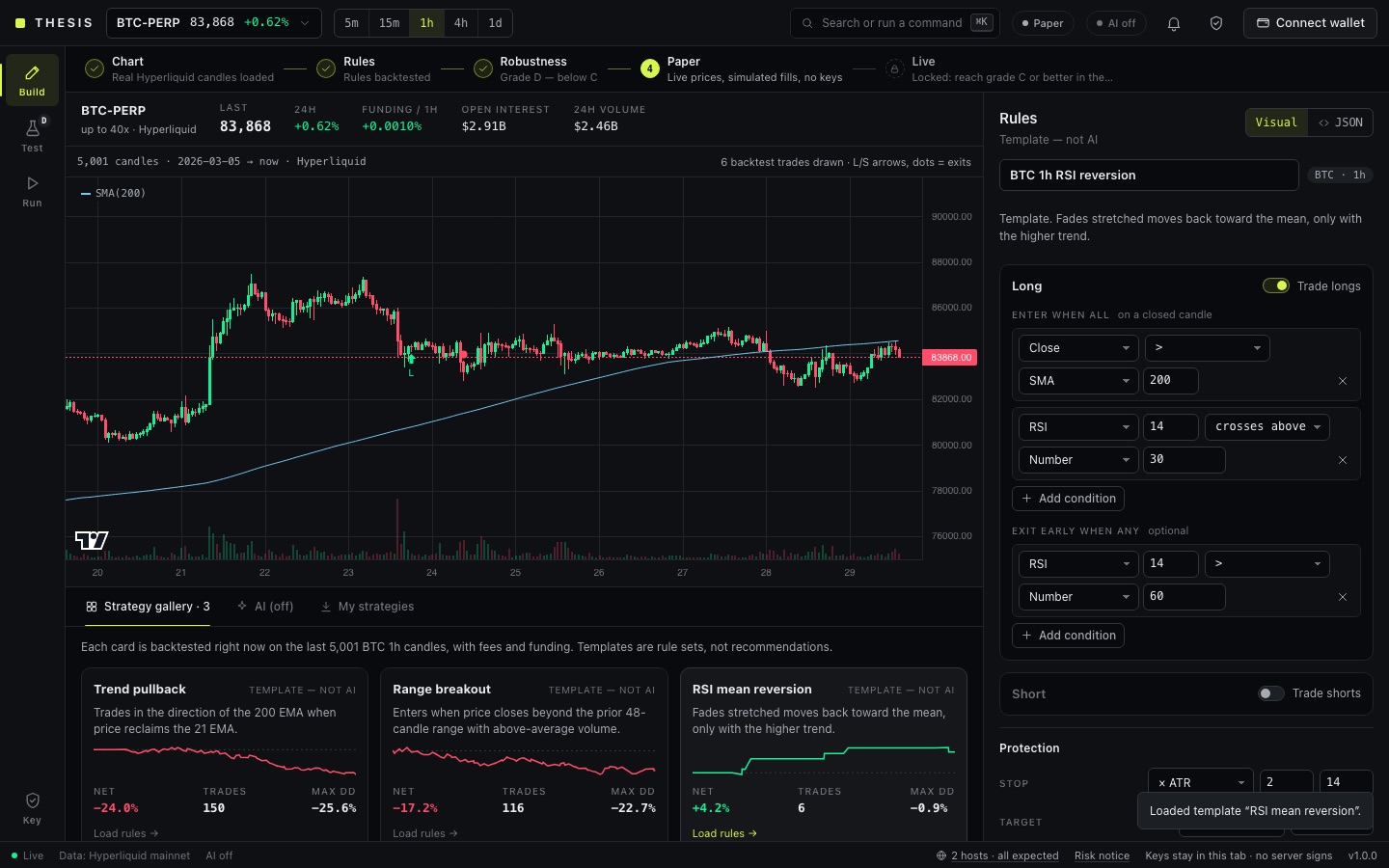
THESIS is a web desk for Hyperliquid perpetual futures. A user starts from a template, writes rules in the visual or JSON editor, or (optionally, with your Anthropic key) lets Claude turn a chart or a screenshot into an exact rule set in a strict schema. The desk backtests the rules on real Hyperliquid candles with fees and funding, a robustness lab grades them A to F, and the user runs them as paper, testnet or mainnet from their own browser tab.
It is a tool for testing and running rules the user decides on. It does not pick trades, predict prices or promise any result.
It is non-custodial: the user's wallet approves a short-lived Hyperliquid agent key that is created inside the browser tab. No server ever holds a key, signs or relays an order.
| Part | Address | What it is |
|---|---|---|
| Landing page | / | Public page with live Hyperliquid tickers. Copy and FAQ are edited in the admin. Source: index.html, src/landing/. |
| Desk | /app | The trading desk: Build, Test and Run workspaces. Source: app.html, src/. |
| Operator admin | /admin | The MIKODES Admin Kit (vendored in vendor/mikodes-admin), with THESIS settings declared in src/admin/manifest.ts. |
| Server | /api/*, /admin/api/* | One handler (server/app.ts) that runs as a Node process (server/node.ts) or as a Vercel function (api/[...path].ts). It serves settings and calls Claude. It never signs orders. |
THESIS can place real orders with real money. Mainnet is off on a fresh install. When you switch it on (Admin → Trading → Mainnet trading) and a user starts a mainnet run, the desk places orders automatically on the rules that user approved, with the user's own key, from the user's browser. Losses are possible and can be fast: leveraged perpetual futures can lose the whole margin of a position. Backtests and lab grades describe the past only; no return is promised. Automated execution and fees on executed trades may be regulated where you or your users live. The safest way to use the package is as a self-hosted tool for your own account. If you host it for the public, get legal advice first. These docs are not legal or investment advice.
02Pick your path
03What is in the package
| Folder or file | What it is |
|---|---|
index.html, app.html | The two pages Vite builds: landing and desk. |
src/strategy/ | Rule schema, indicators and the engine. engine.ts and policy.ts are used unchanged by the backtest and the live runner. |
src/backtest/, src/lab/ | Backtest with fees, slippage and funding; the robustness lab (walk-forward, Monte Carlo, sensitivity, look-ahead check, grade A–F). |
src/live/, src/hl/ | Runner, brokers (paper and Hyperliquid), risk limits, journal, drift, Telegram alerts; Hyperliquid market data and order signing. |
src/ui/ | Desk interface. |
src/shared/settings.ts | Every operator setting, its default and its allowed range. |
src/admin/, server/admin-kit.ts | Admin manifest, the mapping to desk settings, checks, revenue and metrics. |
server/, api/ | Node server and the Vercel function. |
vendor/mikodes-admin/ | The admin kit, vendored. Do not edit it. |
test/, scripts/ | Automated tests (pnpm test) and smoke scripts. |
.env.example | Template for the server settings. You copy it to .env. |
vercel.json | Build command, rewrites and security headers for Vercel. |
docs/API.md | The HTTP API, for developers. |
Hosting (Vercel or a Node server), a Postgres database if you host on Vercel, an Anthropic API key if you want AI chart reading, a Hyperliquid account if you want to earn a builder fee, and your own terms and risk notice. None of these are part of the purchase.
04Try it before you install
The public demo runs the desk with live Hyperliquid data: thesis-demo.mikodes.com/app. Paper mode needs no wallet and no deposit. The operator console is not part of the public demo: it is shown in the screenshots in these docs (Admin panel) and runs on your own computer a few minutes after install (Quick start).
05How to read these docs
- Dark boxes are commands. Press Copy in the corner and paste them into a terminal opened in the project folder.
- Grey text after
#is an explanation. The Copy button leaves it out. - Text in angle brackets, like
<your-domain>, is a placeholder. Replace it, brackets included. - Paths start at the project folder: the
sourcefolder of your download, the one withpackage.json. The download also holdsdocumentation(these pages) andlicenses. - Required marks steps you cannot skip; Optional marks the rest.